
Use QR Codes Images Generator Free
⚡ Fast • Free • Secure
Create Custom QR Codes
Our Free QR Codes Images
Generate QR codes online quickly and easily with Viralee’s free QR Code Generator. Turn website URLs, text, and other information into scannable QR codes images. Customize your QR code with colors and a logo to match your brand. No signup required – simply create, download, and share your QR codes images in seconds.
Your link stays in your browser. Nothing is uploaded or stored.
What Is a QR Codes Images Generator?
A QR code generator is an online tool that allows you to turn information into a scannable QR code. Instead of typing a long website address or sharing information manually, you can create a QR codes images that people can scan using their smartphone cameras.
With Viralee’s free QR Code Generator, you can create QR codes for website URLs, text, and other supported content in just a few simple steps. Whether you need a QR codes Images for personal use, business marketing, product packaging, or sharing digital information, our online QR generator makes the process simple and convenient.
You do not need complicated software or technical knowledge to get started. Enter your information, generate your QR code, and download it for your intended use.
How to Create a QR Codes images Online in 3 Easy Steps
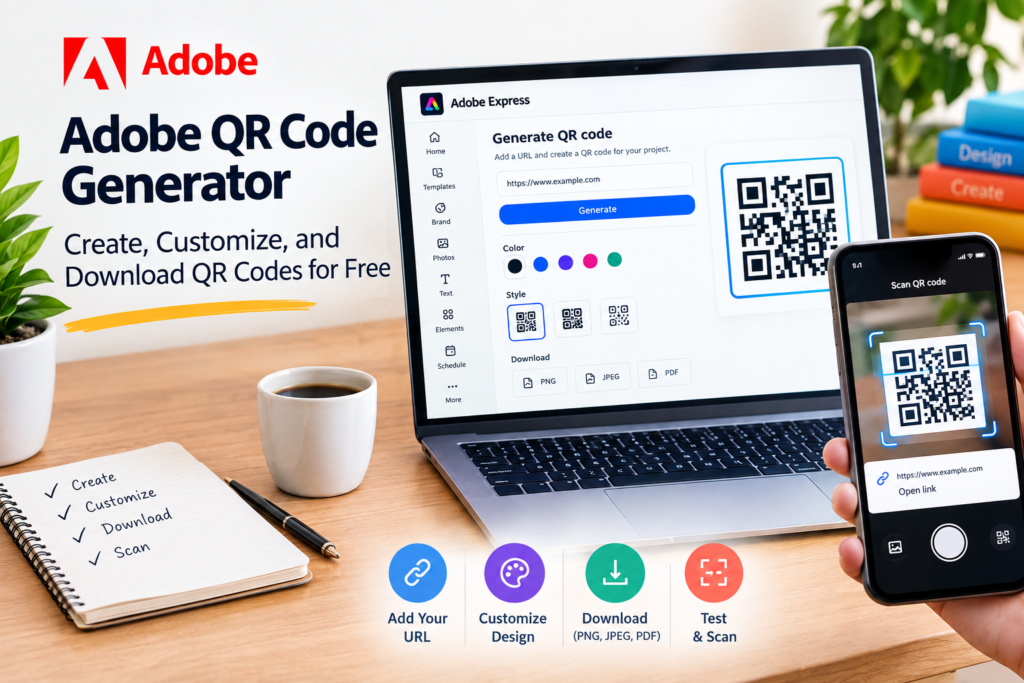
Creating a QR code does not have to be complicated. Follow these simple steps to generate your own QR code using Viralee.
Step 1: Enter Your Information
Start by entering the website URL, text, or other supported information you want to share. Make sure your information is correct before generating the code.
Step 2: Customize Your QR Code
Choose your preferred design options, such as colors, logo, or background settings, if these features are available in the generator. A clear design can make your QR code more suitable for your brand or project.
Step 3: Generate and Download
Click the generate button to create your QR code. Preview the result, scan it with a smartphone to test it, and download it in an available image format.
Customize Your QR Codes images to Match Your Style
A QR code does not always have to look plain and ordinary. Customization options can help you create a design that matches your website, business identity, or marketing materials.
With supported customization features, you can adjust the appearance of your QR code while keeping it easy to scan. Always test the final design before printing or sharing it publicly.
Different Types of QR Codes images and Their Uses
QR codes can be used for different purposes depending on the information they contain. From sharing website links to displaying simple text, they provide a convenient way to make digital information accessible through a quick scan.
The type of QR code you create depends on the content supported by your QR code generator. Here are some common ways people use QR codes.
Create a QR Codes images from a Website URL
Website QR codes allow people to visit a webpage without manually entering its address. Simply encode a website URL into a QR code and share it through printed materials, business cards, flyers, or digital graphics.
QR Codes images for Business and Marketing
Website QR codes allow people to visit a webpage without manually entering its address. Simply encode a website URL into a QR code and share it through printed materials, business cards, flyers, or digital graphics.
Why Choose Our Free QR Codes images?
Choosing a simple and reliable QR code generator can save time when you need to share information digitally. Viralee aims to make QR code creation accessible through an easy-to-use online interface.
Easy to Use
Create QR codes without complicated software or technical knowledge. Enter your information and follow the available generation steps.
Free QR Code Creation
Generate QR codes without paying for the basic supported functionality. Check the available options before downloading your code.
Customization Options
Personalize the appearance of your QR codes with available colors, designs, and logo options.
Convenient Online Access
Use the QR generator directly through your web browser without installing additional software.
Quick Downloads
Generate your QR code and download it in the file format supported by the tool.
How to Create and Use Secure QR Codes
QR codes images make sharing information convenient, but it is important to use them responsibly. A QR codes images does not automatically make a website or destination secure. Its safety depends on the information encoded inside it and the website or resource it opens.
Follow these safety tips when creating and scanning QR codes:
Always check website URLs before sharing them.
Use trusted and legitimate website addresses.
Prefer HTTPS websites when linking to online resources.
Avoid encoding passwords or sensitive personal information.
Scan-test your QR code before printing or publishing it.
Check the destination URL before opening an unfamiliar QR code image.
Following these practices can help make QR code sharing safer for businesses and individuals.
Where Can You Use Custom QR Codes images?
QR codes image are useful in many everyday situations because they provide a simple way to connect physical materials with digital information.
Business Cards
Add a QR codes images to your business card so people can quickly visit your website or access other shared information.
Product Packaging
Businesses can place QR codes images on product packaging to direct customers to product details, instructions, or relevant online resources.
Posters and Flyers
Make promotional materials more interactive by including a QR codes images that leads to a landing page or campaign website.
Restaurants and Cafes
QR codes can help customers access online menus, restaurant websites, and other digital information.
Education
Teachers and students can use QR codes images to share learning resources, reference materials, and educational links.
Events
Include QR codes on event posters, invitations, or information sheets to make relevant online resources easier to access.
Make a QR Code Online for Free
make a QR code is a simple way to share website links, contact information, and digital resources. With an online QR code generator, you can make a QR code in just a few steps without needing technical skills. Whether you want to make a QR code for a website, generate a custom QR code, make a QR code image, or download a scannable QR code for printing, the process is quick and convenient. You can use QR codes for business promotions, educational projects, product packaging, and everyday information sharing.
QRCode Picture: Create and Share QR Code Images Easily
A qrcode picture is a convenient way to share information through a scannable image. Instead of typing a long website address, contact detail, or other information, users can scan a QR code picture using their smartphone camera and access the linked content instantly. With a free QR Code Generator, you can create a personalized QR code picture in seconds, customize its colors, add a logo, and download it for digital or print use. QR code pictures are useful for business cards, product packaging, restaurant menus, advertisements, educational materials, and social media promotions. Whether you want to share a website link or make information easier to access, creating a QR code picture is a simple and effective solution.
Before you publish your code
Testing a QR Code with 2 different phones will help you determine if you need to increase the size or simplify the background behind the QR modules
When distributing images, use only images you own or have permission to distribute. The QR code is simply another way to retrieve the file.
You should upload files smaller than 1 MB in order to ensure that visitors on slower networks do not experience an empty screen.
If you later change the image on the internet, create a new QR Code so that the encoded URL and the URL you expect are in sync with each other.
Frequently Asked Questions
What Is a QR Code Generator?
A QR code image generator is an online tool that converts information, such as website URLs or text, into a scannable QR code work. People can scan the code using a compatible smartphone or QR scanner to access the encoded information.
How Can I Generate a QR Code for Free?
Open Viralee’s QR Code Generator, enter the information you want to encode, customize the available settings, and generate your QR code. Download it using the available download option.
Can I Create a QR Code from Text?
Yes, if your selected QR code generator supports plain-text encoding. Enter your message into the text field and generate a QR code that displays the encoded text when scanned.
Can I Add My Logo to a QR Code?
Some QR code generators support logo customization. You can upload a logo and position it in the center of your QR code. Always test the finished design to ensure it remains scannable.
How Can I Create a White QR Code?
Use a generator that supports foreground color customization. Select white for the QR pattern and place it on a sufficiently dark background to maintain scanning contrast.
Can I Download a QR Code with a Transparent Background?
Yes, if the generator supports transparent PNG downloads. This option allows you to place your QR code over different backgrounds without a solid rectangular background.
Are QR Codes Safe to Use?
QR codes themselves are not automatically safe or unsafe. Always check the destination URL before opening it, and avoid scanning codes from untrusted sources.
Do QR Codes Expire?
Static QR codes images generally do not expire on their own because the information is encoded directly into the QR pattern. However, the linked website or destination can become unavailable.
Can I Use QR Codes for Business Marketing?
Yes. Businesses can use QR codes on business cards, packaging, posters, flyers, and promotional materials to help customers access digital information.
Can I Customize My QR Code?
Many QR code generators offer customization options such as colors, patterns, and logos. Available features depend on the specific tool.
What is a QRCode Picture?
A QRCode picture is an image containing a Quick Response (QR) code that stores information such as a website URL, text, or other digital content. Users can scan the image with a smartphone camera or QR code picture scanner to access the stored information quickly without manually typing it.
How can I create a QR code with an image?
You can create a QR code with an image by using a free online QR Code Generator that allows image customization. Simply enter your website URL or desired information, upload or add your preferred image or logo, and customize the QR code design. A QR code with an image makes your code more attractive and recognizable while keeping it scannable. Before sharing or printing, test your picture into QR code with an image using a smartphone camera to ensure it works correctly.
How can I make a QR code for free?
You can make a QR code for free by using an online QR code generator. Simply enter your website URL or the information you want to share, customize your make a QR code design if needed, and generate the code. You can then download your QR code image and use it on business cards, posters, product packaging, or digital platforms.